
How to Add Credit Cards and other Payment Methods
Adding a payment method
To add a payment method to your account, follow these steps:
-
Log in to the Hosting Panel at https://theconsole.webcentral.au.
-
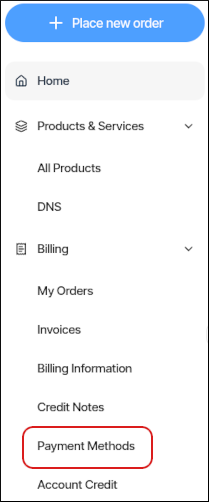
In the left sidebar, click Billing, and then click Payment Methods:
-
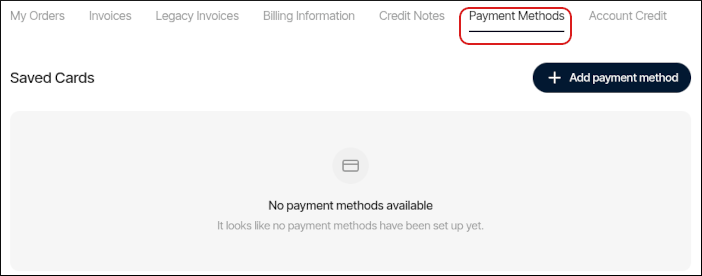
The Payment Methods tab appears:
-
Click Add payment method.
-
In the Add a payment method dialog box, select one of the following:
- Credit or Debit Card: For a credit or debit card, specify the card details, and then click Add payment method.
- PayPal: For PayPal, we cannot save account details for future billing. However, you can still use PayPal when you complete an order.
- Bank Transfer: For bank transfers, we cannot save account details for future billing. However, you can still use a bank transfer when you complete an order.
-
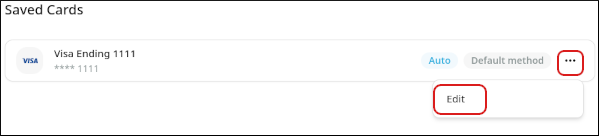
After you add a payment method, it appears in the list of payment methods. To edit the payment method, click the three-dot menu, and then click Edit:
If you would like to remove all of the credit cards listed in your account, please contact us.
Adding account credit
To view and manage your account's credit, follow these steps:
-
Log in to the Hosting Panel at https://theconsole.webcentral.au.
-
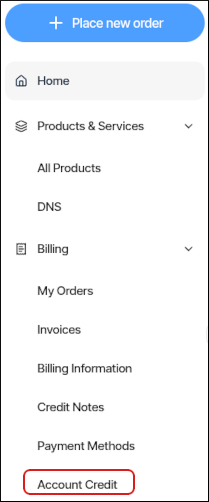
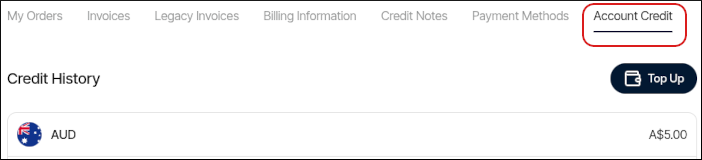
In the left sidebar, click Billing, and then click Account Credit:
-
The Account Credit tab appears:
-
To add credit to your account, click Top Up. You can add a credit card, debit card, or PayPal account.