
How to manage your databases with phpMyAdmin on Webcentral Managed WordPress
Learn how to manage your WordPress databases from the Webcentral Dashboard.
While managing your WordPress sites hosted on Webcentral Managed WordPress, you may need to edit the databases directly. You can do this easily from the Webcentral Dashboard using phpMyAdmin.
To access phpMyAdmin and your databases from the Webcentral Dashboard, follow these steps:
- Log in to the Webcentral Panel at https://theconsole.webcentral.au/
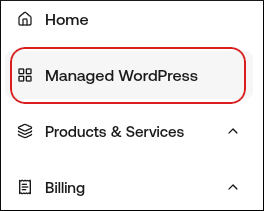
- In the left sidebar, click Managed WordPress:
- On the My Websites page, locate the site, and then click Manage

- On the Webcentral dashboard, click the Advanced icon:

- In the Advanced Settings section, in the Database Management row, click phpMyAdmin:
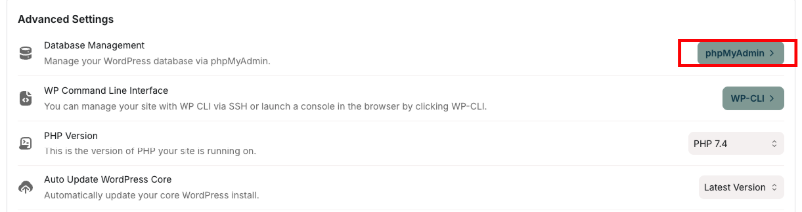
phpMyAdmin opens in a new tab.
Tip: For information about how to use phpMyAdmin, go to the official documentation at https://docs.phpmyadmin.net/en/latest/.