
Clearing the webmail cache on Titan Mail accounts
Learn how to clear the webmail cache on Titan Mail accounts.
This article explains how to clear the webmail cache on Titan Mail accounts.
Normally, you do not need to clear the cache. However, if you experience loading or formatting issues with the webmail interface, you can try clearing the cache to see if this fixes the problem.
Clearing the webmail cache
To clear the cache in the webmail interface, follow these steps:
-
Log in to your webmail account at https://webmail.webcentral.au/
-
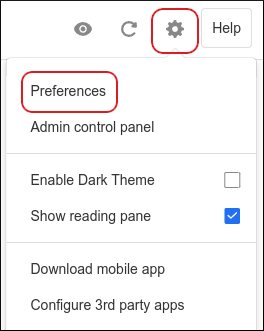
Click the Settings (gear) icon, and then click Preferences:
-
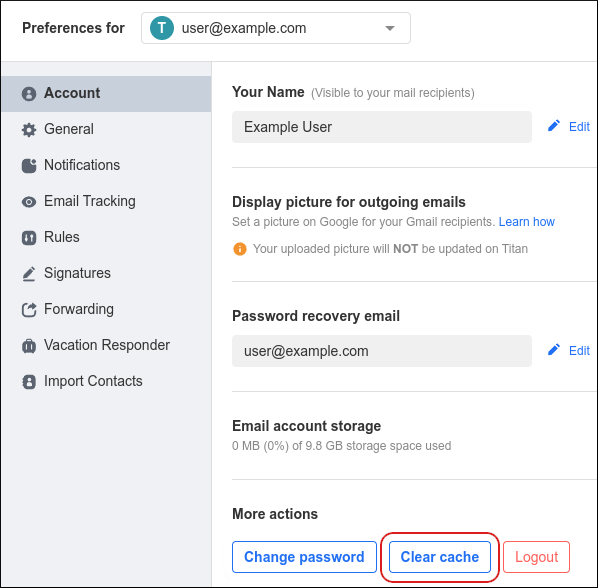
In the Account section, under More actions, click Clear cache:
More information
For more information about how to clear the cache, please visit https://support.titan.email/hc/en-us/articles/900003529926-Clear-Cache-on-Webmail.