

- How to check what Name Servers you are using (and if your setup is automatic or manual)
- What zone records do you need to add to your DNS
Will my OX Email set up be automatic or manual?
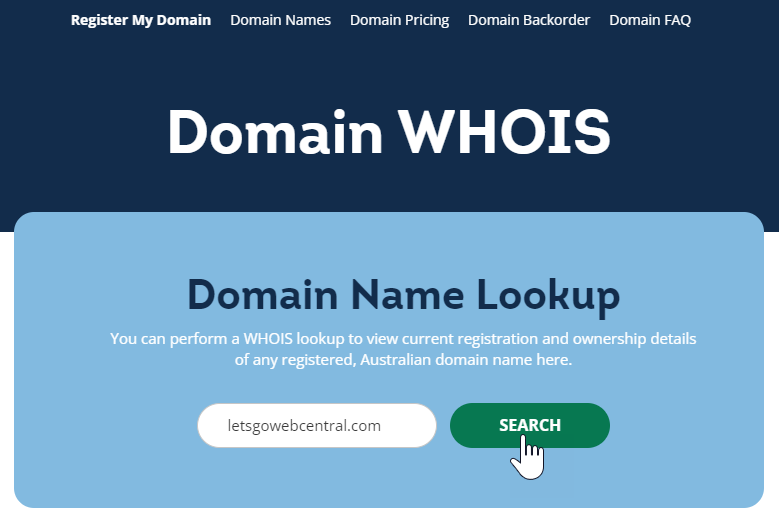
To find out, check your domains Name Servers. If your Name Servers are pointing to us, then we’ve already added all the necessary records. To check your name servers, use our WHOIS lookup tool. Here’s a quick guide on how to use it:- Click here to go to our WHOIS lookup tool
- Type in your domain name and click SEARCH
- Under WHOIS, look for the Name Servers
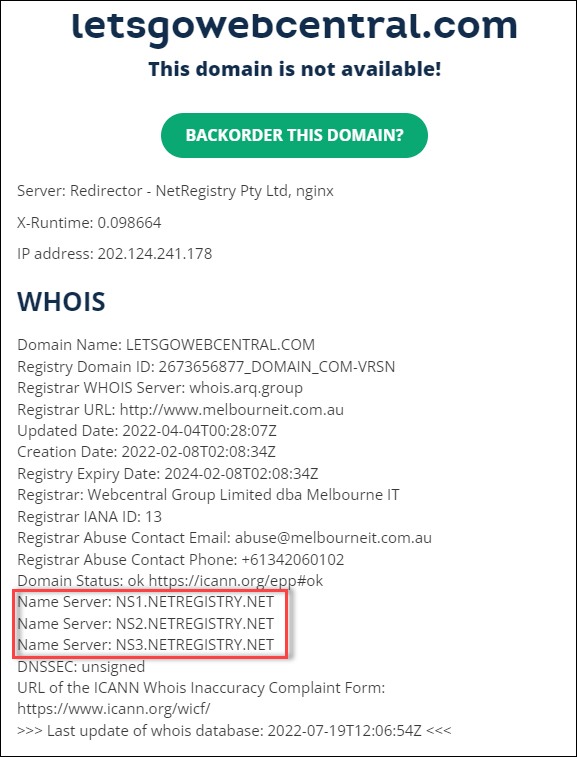
- If your Name Servers are pointing to NETREGISTRY.NET (like in the above image) then your setup will be automatic and you can now create your email account, click here to see how.
How do I manually link my domain to my emails?
Log in to, or contact, the provider that hosts your domain’s Name Servers and add or update the below 3 zone records.
The below records are not essential but allow you to connect to our email server using different hostnames. You can add them if you like.
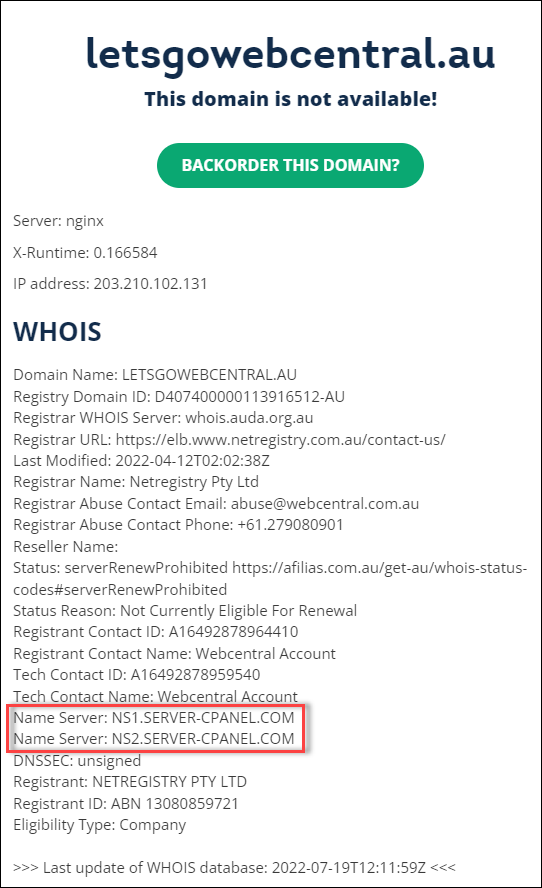
If you are using cPanel (and your name servers are set to either ns1.server-cpanel.com or ns1.mysecurecloudhost.com), click here to see a support article on how to add/edit zone records in cPanel.
After adding the records, it may take a few hours for them to take effect. In the meantime, you can create your OX Email in your Webcentral account, click here to see how.