

- Log in to the Webcentral Panel at https://theconsole.webcentral.au/
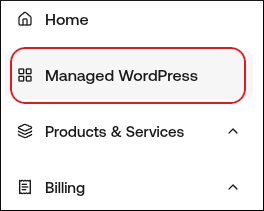
- In the left sidebar, click Managed WordPress:
- On the My Websites page, click Add Website:

- On the Add a Website page, in the Site name/label text box, type your WordPress site’s name
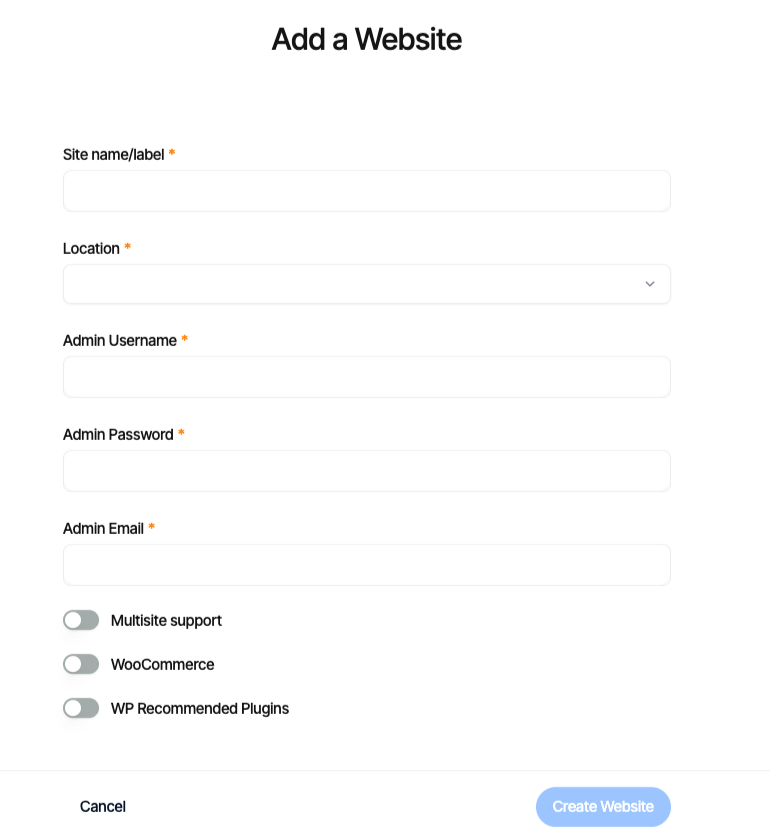
- In the Location list box, select the location for your WordPress site.
- In the Admin Username text box, type the admin username you want to use.
- In the Admin Password text box, type a complex password for the admin user.
- In the Admin Email text box, type your admin email address to receive important WordPress emails.
- Enable any additional options for your installation, and then click Create Website.