

- Log in to the Webcentral Panel at https://theconsole.webcentral.au/
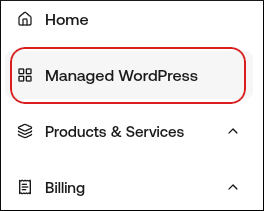
- In the left sidebar, click Managed WordPress:
- On the My Websites page, locate the site, and then click Manage

- On the Webcentral dashboard, click the Advanced icon:
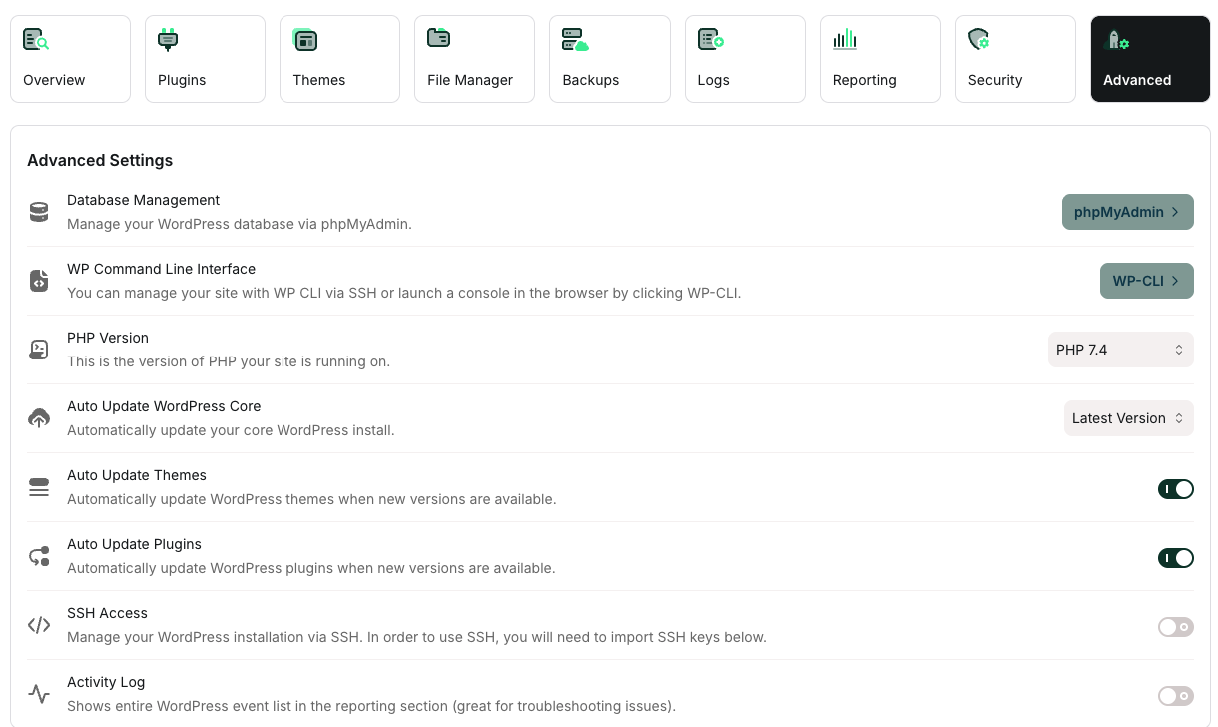
- In the Advanced Settings section, select the options you want:
- To enable automatic updates for WordPress core, in the Auto Update WordPress Core section select the version you want.
- To enable automatic updates for WordPress themes, click the Auto Update Themes slider.
- To enable automatic updates for WordPress plugins, click the Auto Update Plugins slider.