

To use your Webcentral Managed WordPress site with any DNS provider not documented in our Knowledge Base (such as Google Domains, Register.com, BlueHost, Hostgator, etc.), you do the following:
- Edit the A record for the apex domain (the domain without www, such as example.com).
- Edit the CNAME record for www.example.com.
- Locate your site URL on the Webcentral Dashboard:
- Log in to the Webcentral Panel at https://theconsole.webcentral.au/
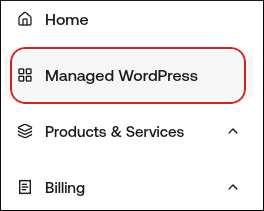
- In the left sidebar, click Managed WordPress:
- On the My Websites page, locate the site, and then click Manage:

- The site URL appears at the top of the page (for example, abc123.onrocket.site).
- Log in to your DNS provider account.
- Update your domain’s DNS records:
- For site URLs that end in onrocket.site, use the following values:
- A records for example.com: 104.19.154.92 and 104.19.155.92
- CNAME record for www.example.com: ___.onrocket.site
- For site URLs that end in wpdns.site, use the following values:
- A records for example.com: 104.18.211.89 and 104.18.185.50
- CNAME record for www.example.com: ___.wpdns.site