

Configuring automatic renewal for a domain
For greater convenience, you can configure your domains for automatic renewal. When automatic renewal is enabled, Webcentral automatically sends you a renewal invoice 14 days before before the domain expires. This provides you with enough time to complete the renewal process before domain expiration. To configure automatic renewal for a domain, follow these steps:- Log in to the Hosting Panel at https://theconsole.webcentral.au.
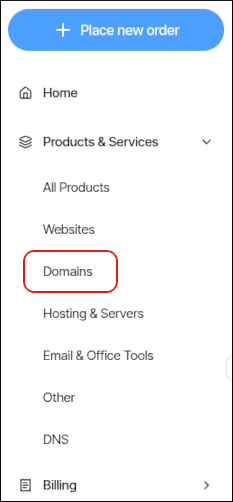
- In the left sidebar, under Products & Services, click Domains:
- On the Domains page, click the domain you want to configure for automatic renewal.
- In the left sidebar, click Billing.
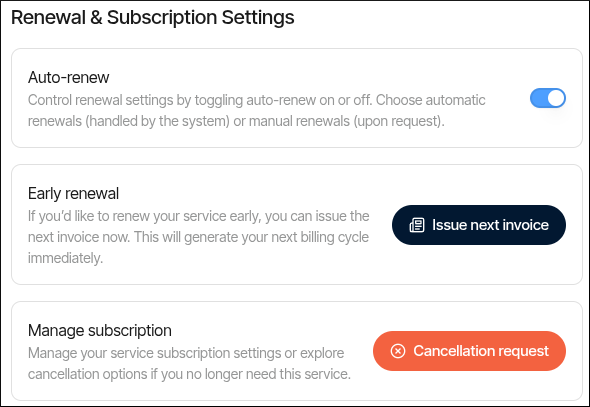
- Scroll down the page to the Renewal & Subscription Settings section, and then click the Auto-renew slider to enable or disable automatic renewal:
Renewing a domain
To renew a domain that you previously purchased from Webcentral, follow these steps:- Log in to the Hosting Panel at https://theconsole.webcentral.au.
- In the left sidebar, under Products & Services, click Domains:
- On the Domains page, click the domain you want to renew.
- In the left sidebar, click Billing, and then pay the invoice for the domain renewal.