

- Log in to the Webcentral Panel at https://theconsole.webcentral.au/
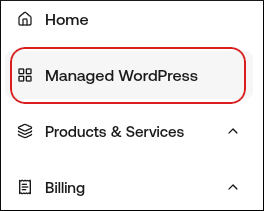
- In the left sidebar, click Managed WordPress:
- On the My Websites page, locate the site, and then click Manage

- On the Webcentral dashboard, click the Advanced icon:

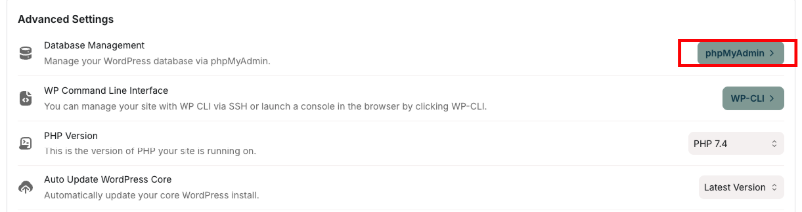
- In the Advanced Settings section, in the Database Management row, click phpMyAdmin:
 phpMyAdmin opens in a new tab.
Tip: For information about how to use phpMyAdmin, go to the official documentation at https://docs.phpmyadmin.net/en/latest/.
phpMyAdmin opens in a new tab.
Tip: For information about how to use phpMyAdmin, go to the official documentation at https://docs.phpmyadmin.net/en/latest/.