

With our unique WordPress command-line interface terminal, using WP-CLI has never been easier! No longer do you need to be a Linux pro to make use of the powerful WP-CLI tool set. Accessing WP-CLI To access WP-CLI from the Webcentral Dashboard, follow these steps:
- Log in to the Webcentral Panel at https://theconsole.webcentral.au/
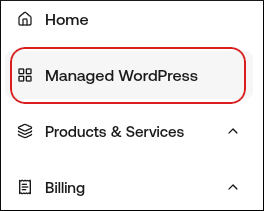
- In the left sidebar, click Managed WordPress:
- On the My Websites page, locate the site, and then click Manage

- On the Webcentral dashboard, click the Advanced icon:
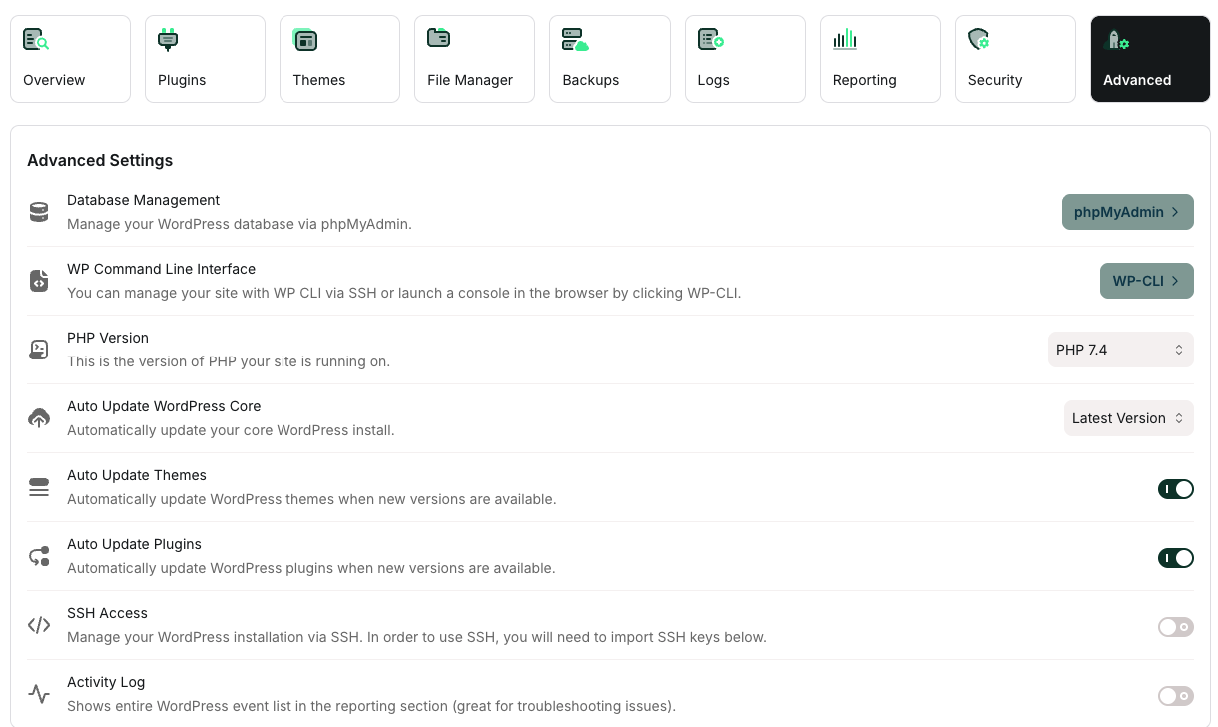
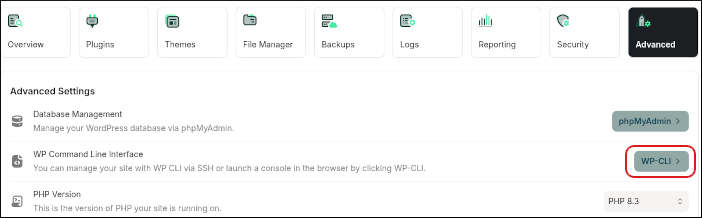
- In the Advanced Settings section, in the WP Command Line Interface row, click WP-CLI:
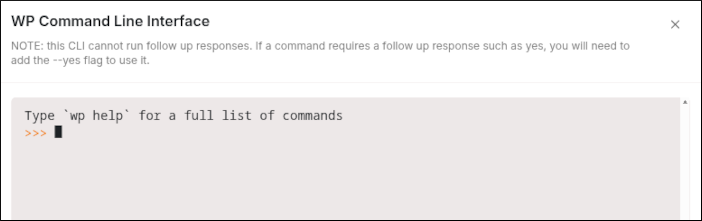
- The WP-CLI terminal appears, ready for your commands:
 Using WP-CLI
The WP-CLI Terminal is not the same as an SSH command prompt. The only command available is wp with another command called an “argument” after it. For example:
Using WP-CLI
The WP-CLI Terminal is not the same as an SSH command prompt. The only command available is wp with another command called an “argument” after it. For example:
You should not use this command to change a site’s domain name. The example above refers to an arbitrary URL in the database.