

- IMAP
- server: mail.wcg-mail.com
- port: 993 (SSL encryption)
- SMTP
- server: mail.wcg-mail.com
- port 587 - encryption TLS
Add your email to Mozilla Thunderbird
- Open Thunderbird
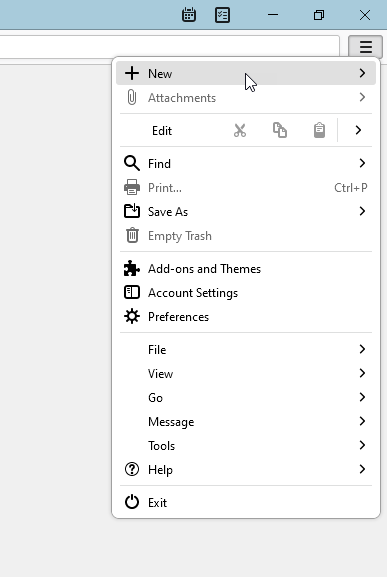
- Click the Menu

- Click +New
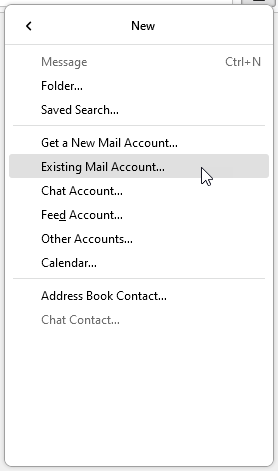
- Click Existing Mail Account…
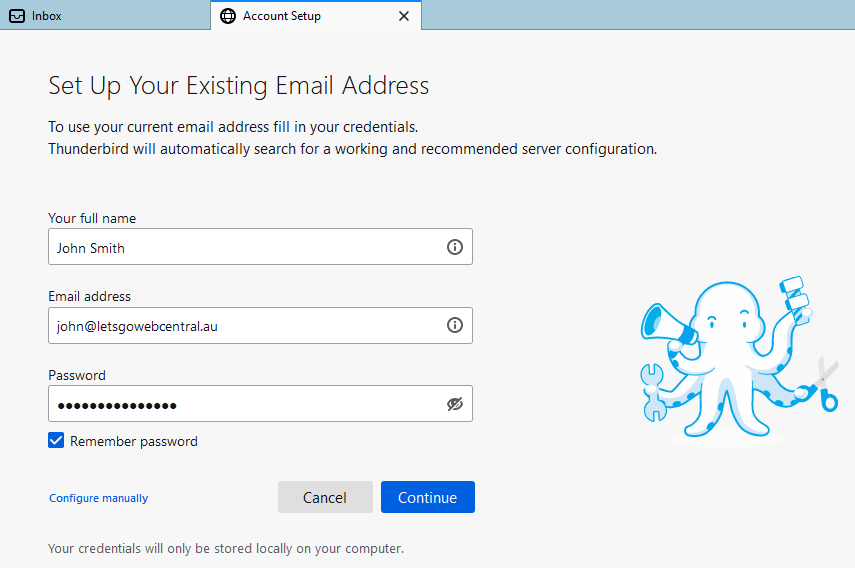
- Type in your name, email address, and password, then click Continue
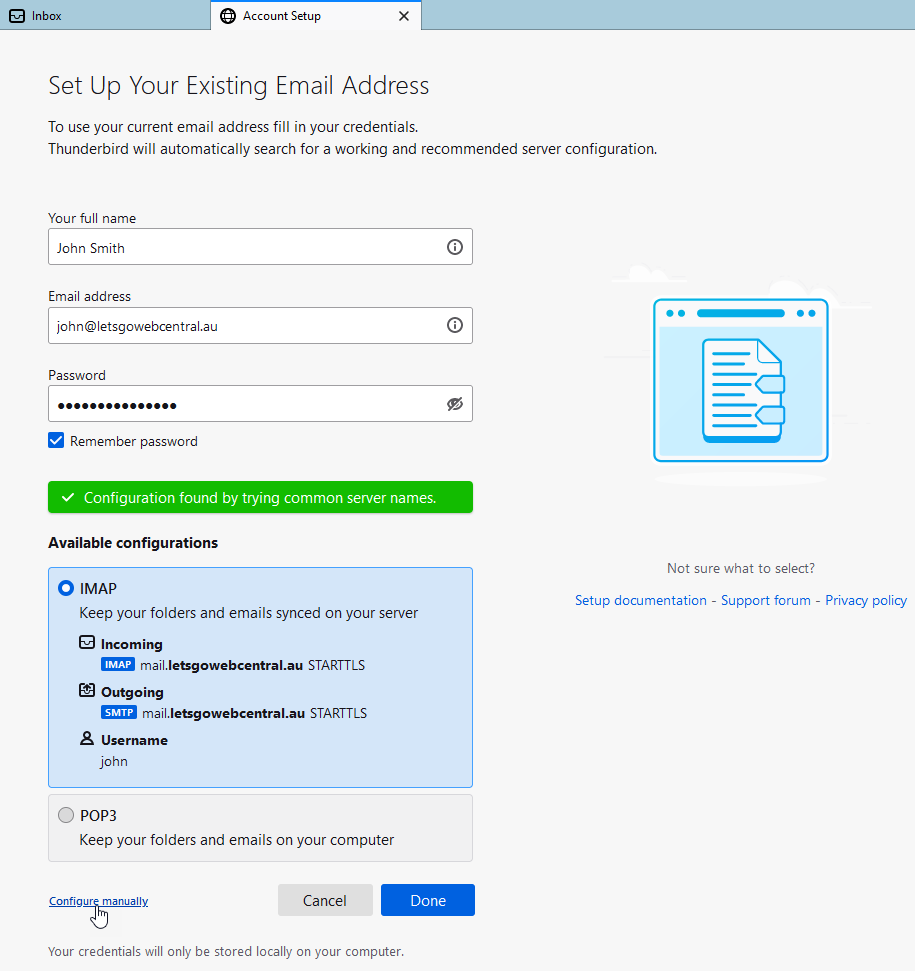
- Select IMAP and click Configure manually
- Under INCOMING SERVER, input the below settings
Hostname: mail.wcg-mail.com
Port: 993
Connection Security: SSL/TLS
Authentication Method: Normal Password
Username: Your name
- Under OUTGOING SERVER, input the below settings
Port: 587
Connection Security: STARTTLS
Authentication Method: Normal Password
Username: Your name
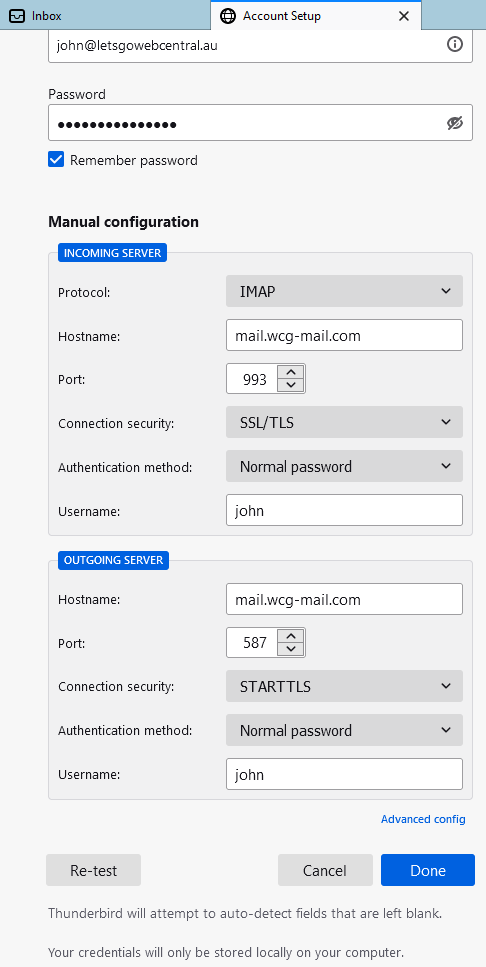
- Click Re-test

- Click Done
- Click Finish