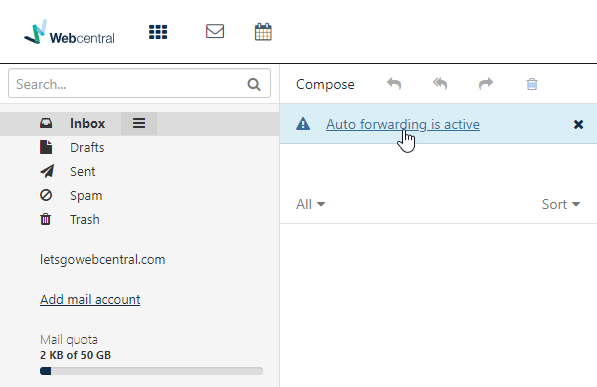
You can have all emails sent to your OX Email account (OX Mail) forwarded to another email address.
  1. Log in to OX Email
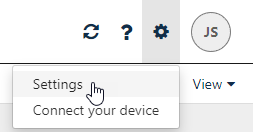
  2. Click the cog icon cog
  3. Click Settings
settings
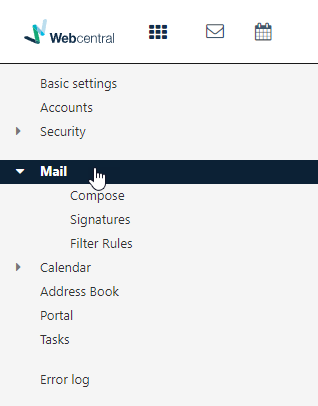
  1. Click Mail
mail
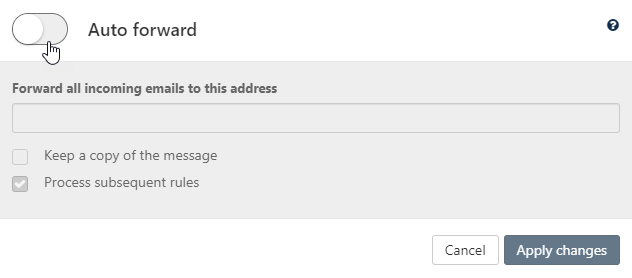
  1. Click Auto forward…
auto forward
  1. Switch Auto forward to on
auto forward on
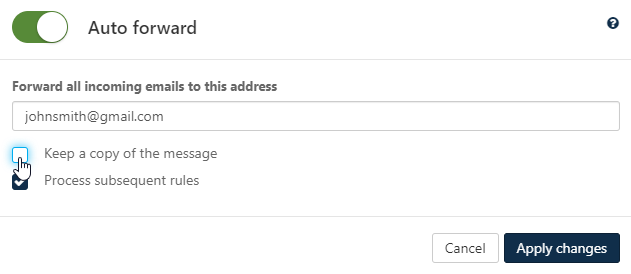
  1. Enter the email address you want to forward emails to
If you want to keep a copy of the emails in your OX Email account, tick Keep a copy of the message keep copy
  1. Click Apply changes
To quickly edit auto-forwarding, click Auto forwarding is active, under Compose quickly edit forwarding