

- Mini Web Hosting
- Starter Web Hosting
- Plus Web Hosting
- Pro Web Hosting
- Max Web Hosting
- Hosting for WordPress
Managing email
You can easily configure email accounts and more from the administration interface. To do this, follow these steps:- Log in to your account as described in Managing your website in the Hosting Panel.
- When the control panel appears, in the left sidebar, click Websites:
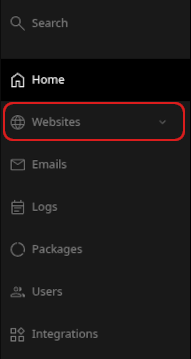
- On the Manage websites page, click the website you want to manage.
- On the list of tabs, click the Emails tab:

- To add an account, click Add account:
 Complete the fields, and then click Add:
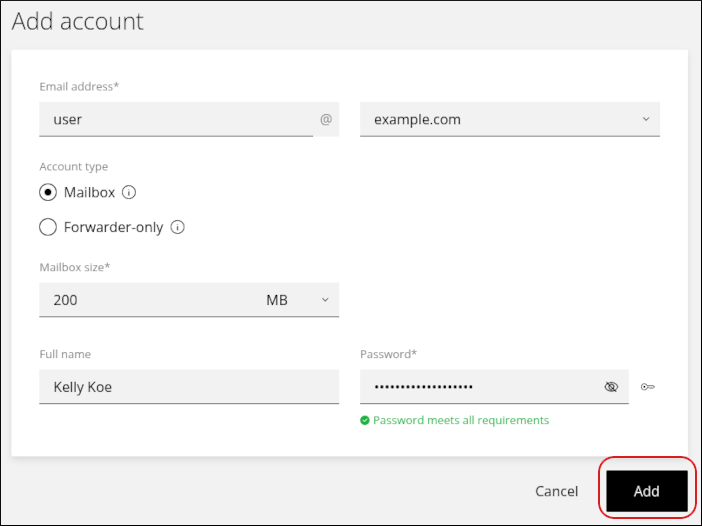
- To modify an existing account, click the account in the list:
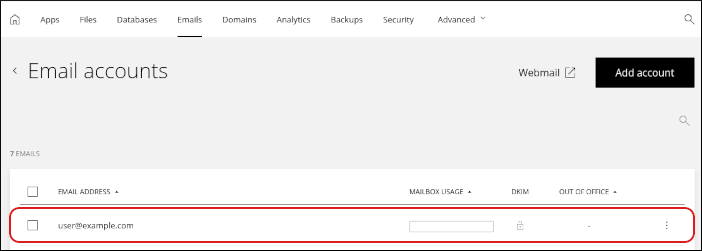
- You can change the following settings for each account:
- Display name, mailbox size, and password.
- Forwarders.
- Spam settings.
- Out-of-office notifications (autoresponders). You can also view email client application settings for IMAP, POP, and SMTP.