

- Latest-generation AMD processors
- Faster NVMe SSD storage
- Enhanced security with CloudLinux 8 protection
- 10x faster network speeds
- Advanced protection against malware
Will there be any interruptions to my service?
There may be a 20 - 30 minute window of not being able to use the cPanel whilst the account is upgraded. We aim is to complete all work outside of business hours.Do I need to do anything after the upgrades/migration?
In most cases you do not need to do anything, if you are using the default DNS servers below, as everything will be upgraded automatically: ns1.server-cpanel.com ns2.server-cpanel.com However, if you are using a third-party DNS service, you need to update your IP address once the upgrades are complete. The new IP Address is available on the status page of Webcentral along with the upgrade date for your server. https://status.webcentral.auTo check the IP address in the cPanel interface, see instructions below:
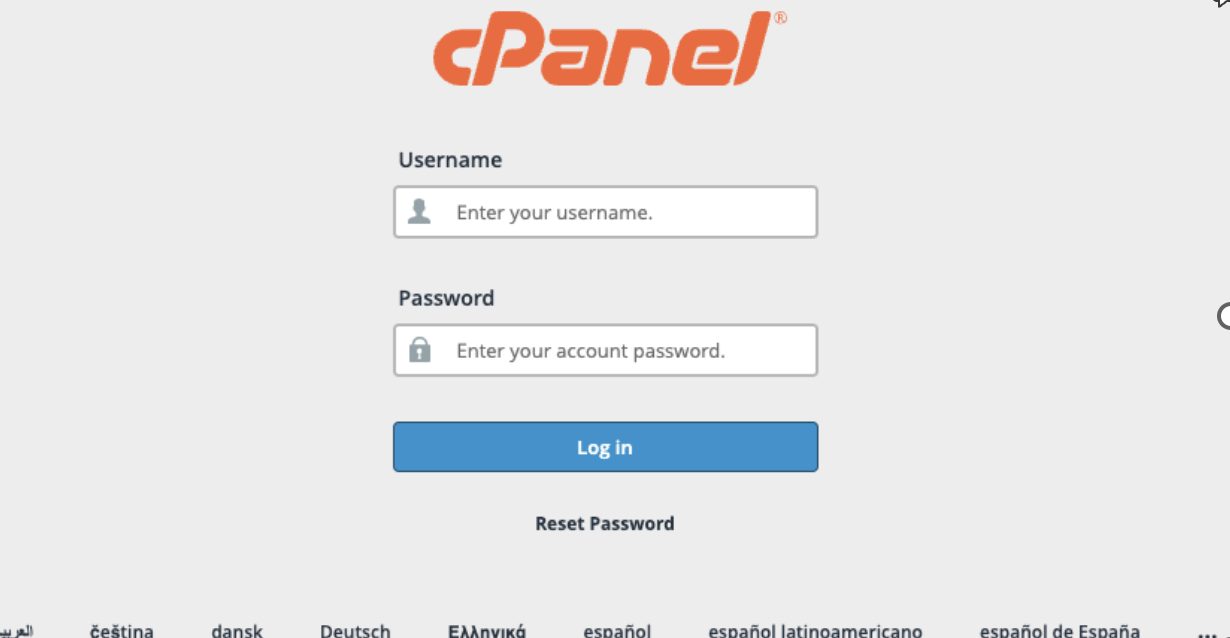
- Login into cPanel
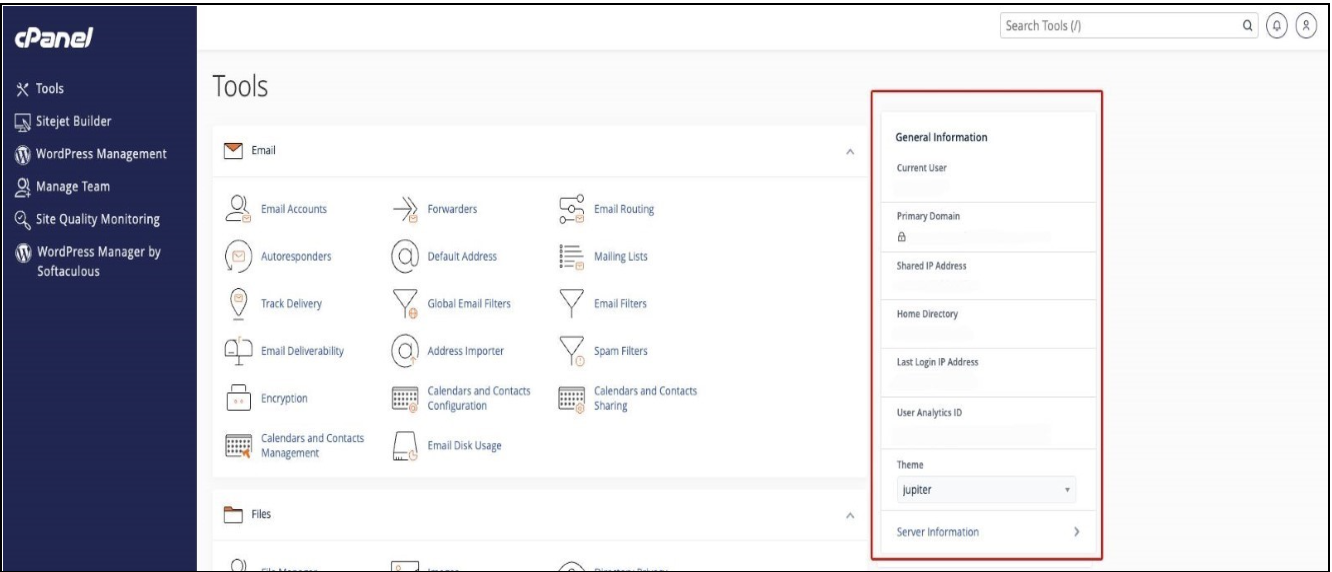
- At the right-side you will see the General Information Box
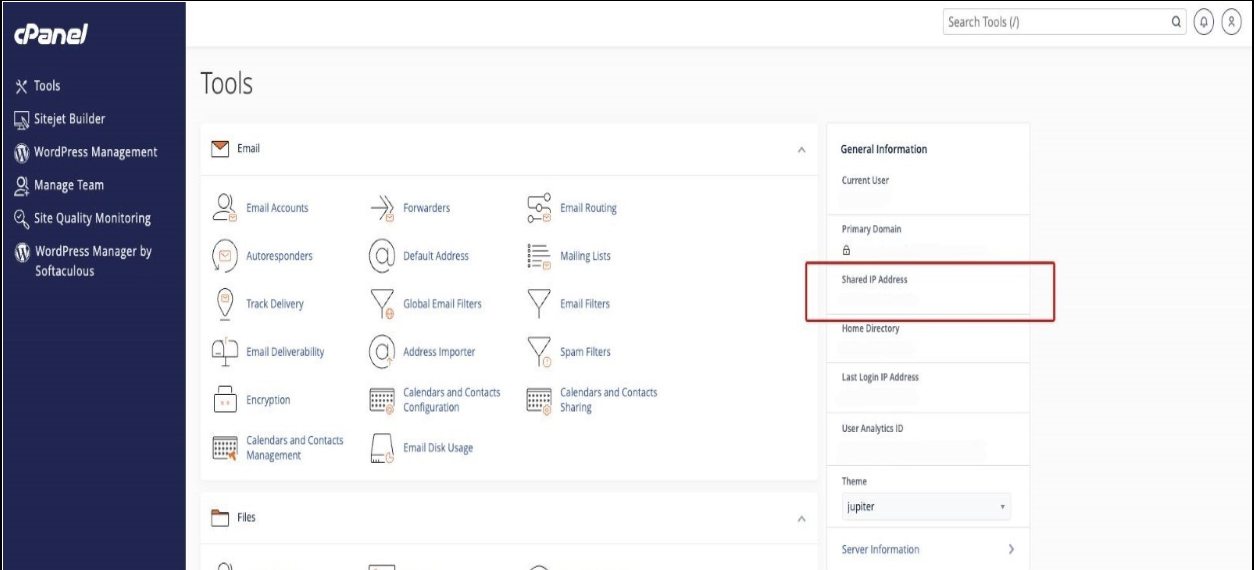
- Look at the Shared IP Address
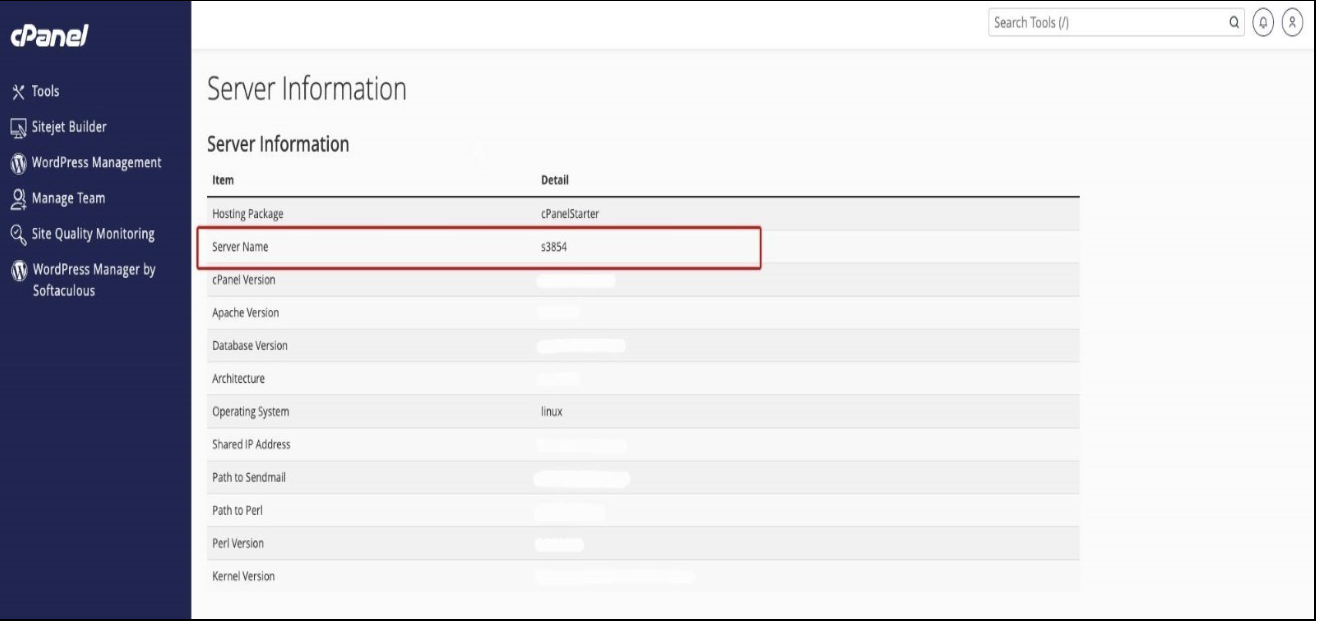
To check the cPanel Server name, see instructions below:
Option 1- Login into Control Panel
- At the right-side you will see the General Information Box
- Click Server Information
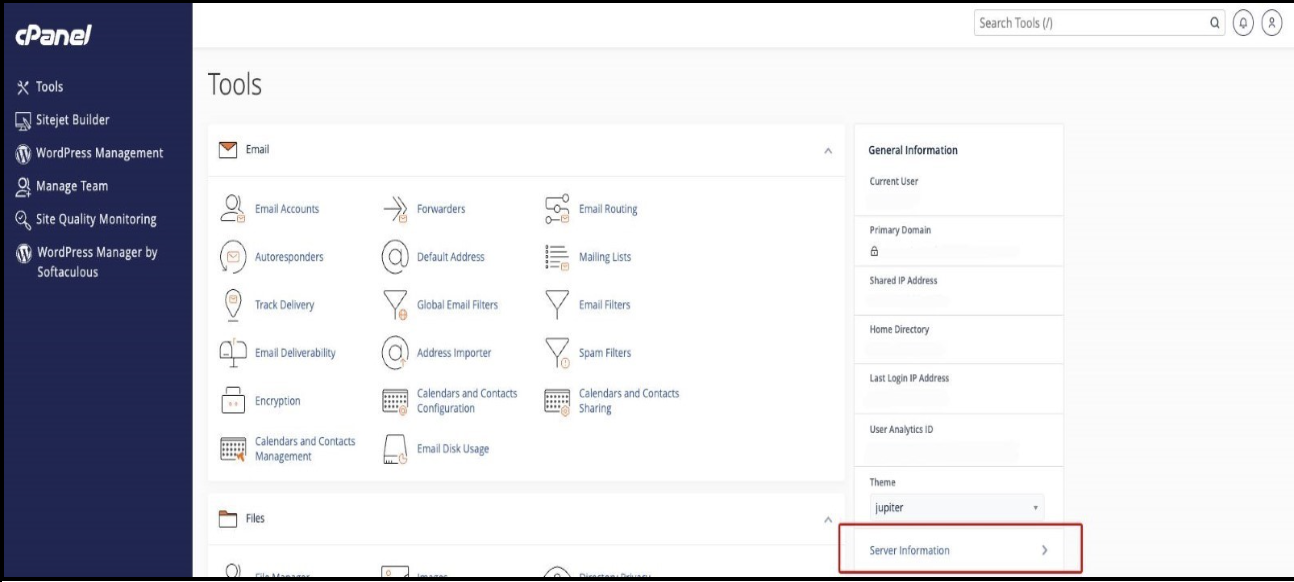
- See image below for the server’s name example
 Option 2
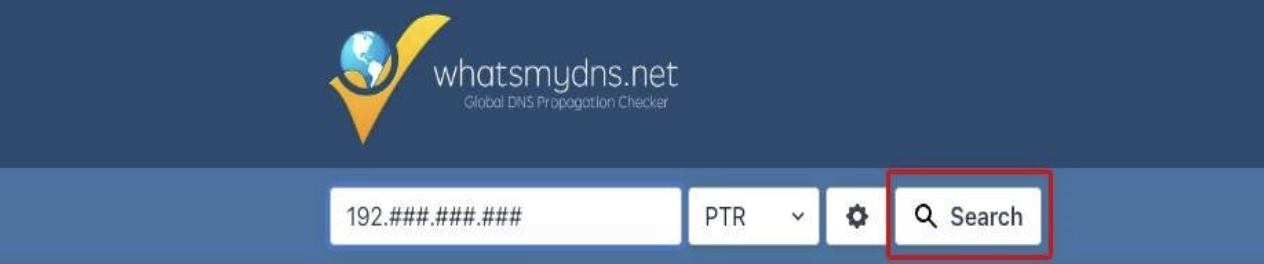
- Go to public tools https://www.whatsmydns.net/

- In the first input box, enter the cPanel IP Address

- In the second input box, select PTR

- Click the search button (Ex. S####.syd1.stableserver.net)
RECORDS TO UPDATE if the DNS is external or third party
A Records| Name | Value | Purpose |
|---|---|---|
| domain-name | cPanel IP Address | To point the Website into cPanel |
| webmail.domain-name | cPanel IP Address | To redirect the cPanel webmail |
| mail.domain-name | cPanel IP Address | To redirect the mail in the cPanel |
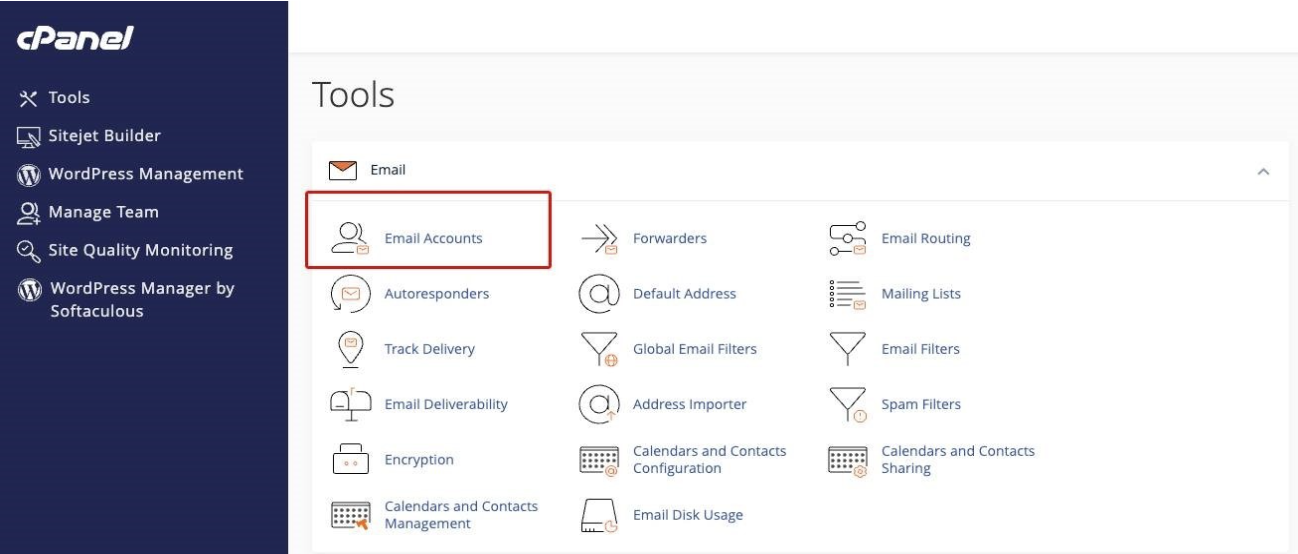
- Login into Control Panel
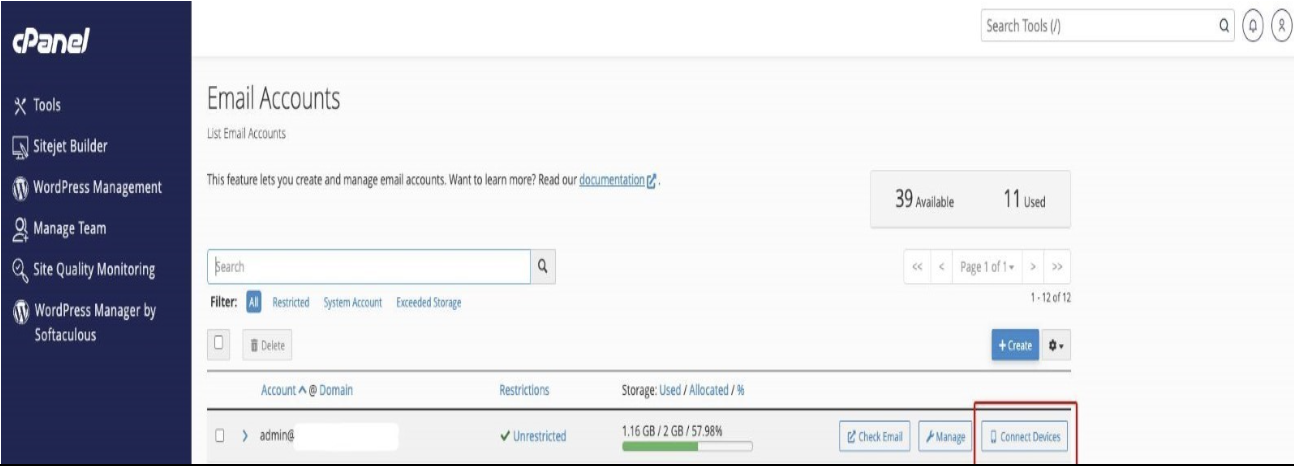
- Go to Email Accounts
- Click Connect Device button in line with the email accounts
- See image below for the Email settings
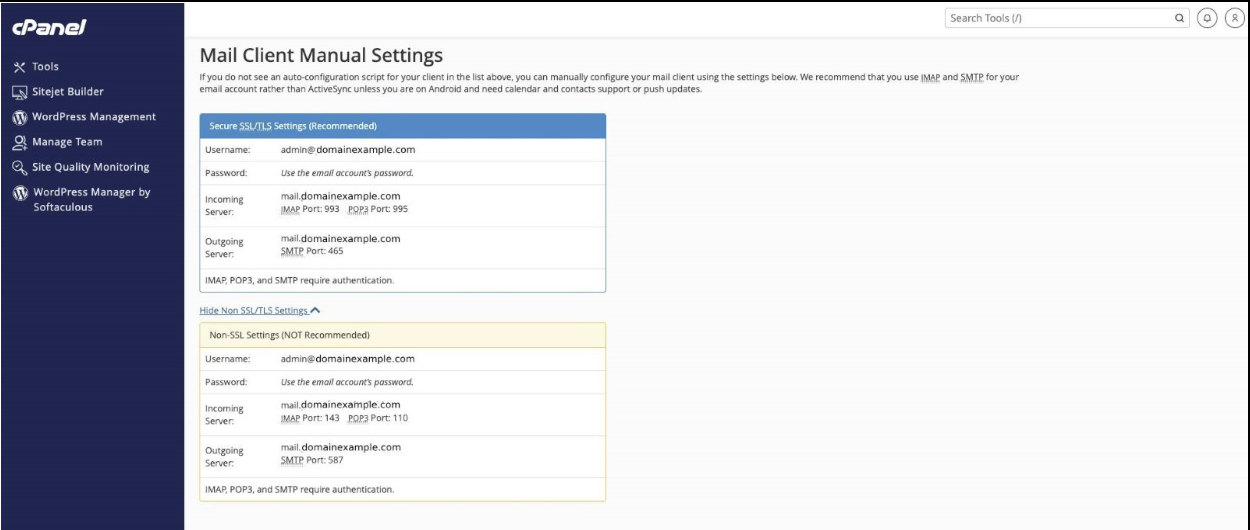 If the settings are not working after updating the IP/Servers, you may also need to check if there is an update to your email application.
If a reconfiguration is needed, make sure that you back up your files to secure your Data. This is to make sure that the settings will refresh, and the updates will synch to the third-party application.
Helpful Links:
If the settings are not working after updating the IP/Servers, you may also need to check if there is an update to your email application.
If a reconfiguration is needed, make sure that you back up your files to secure your Data. This is to make sure that the settings will refresh, and the updates will synch to the third-party application.
Helpful Links: