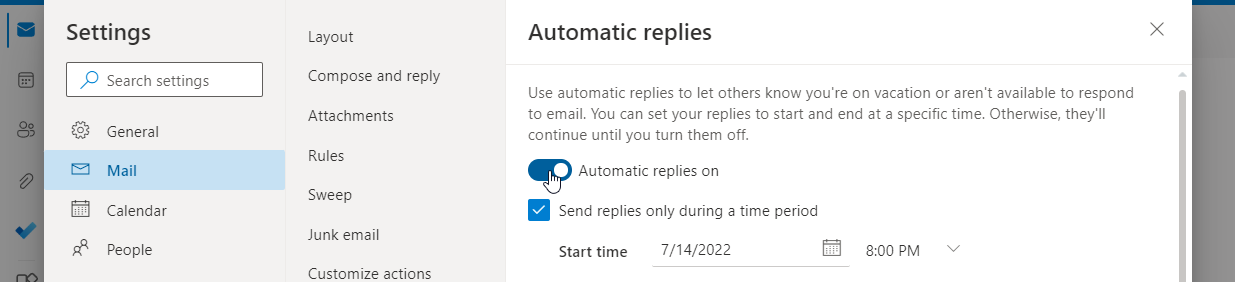
What is an automatic reply?
An automatic reply (or autoresponder) is an automated response sent to anyone who sends your email account an email. Set up an automatic reply to let others know you are on vacation or aren’t available to respond. You can set your replies to start and end at specific times or turn it on indefinitely. This article will show you how to:How to set up automatic replies in Outlook.com
- Log in to outlook.com with your Microsoft email account
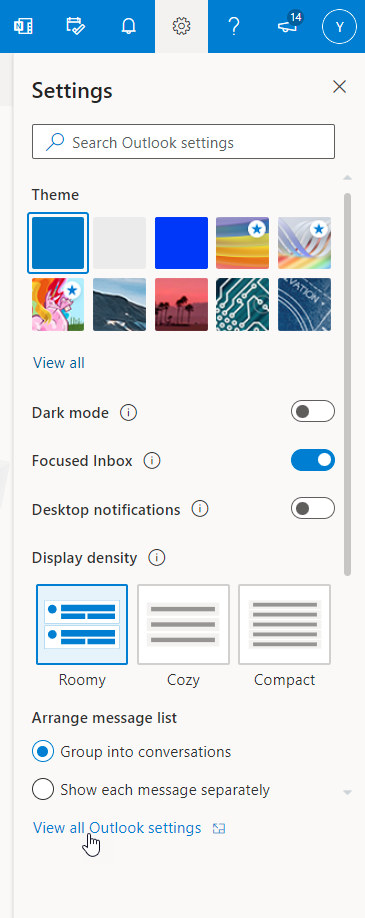
- Click Settings (the cog icon)

- Click View all Outlook settings
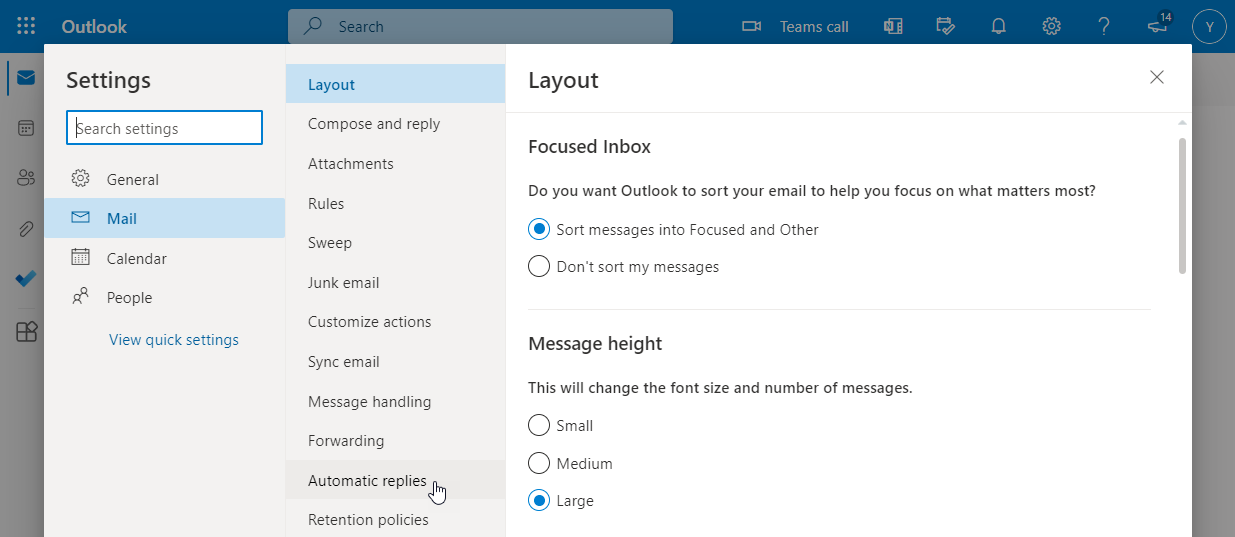
- Click Automatic replies
- Turn automatic replies on by clicking the button next to Turn on automatic replies

- You can set a time period by clicking Send replies only during a time period, in which your automatic replies will only be sent during the specified time and will turn off automatically
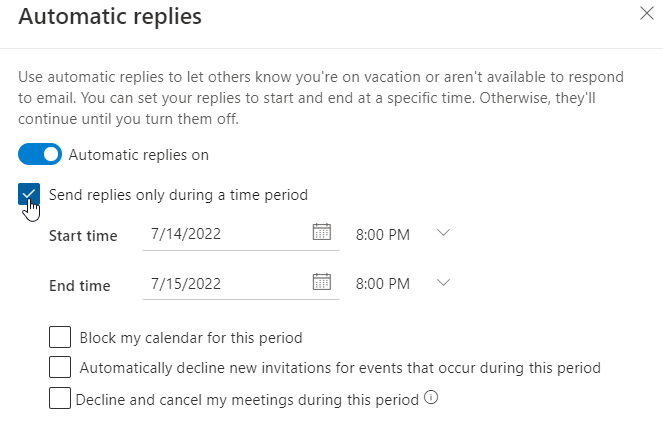 If you do not select this option, the automatic reply will continue indefinitely until you manually turn it off
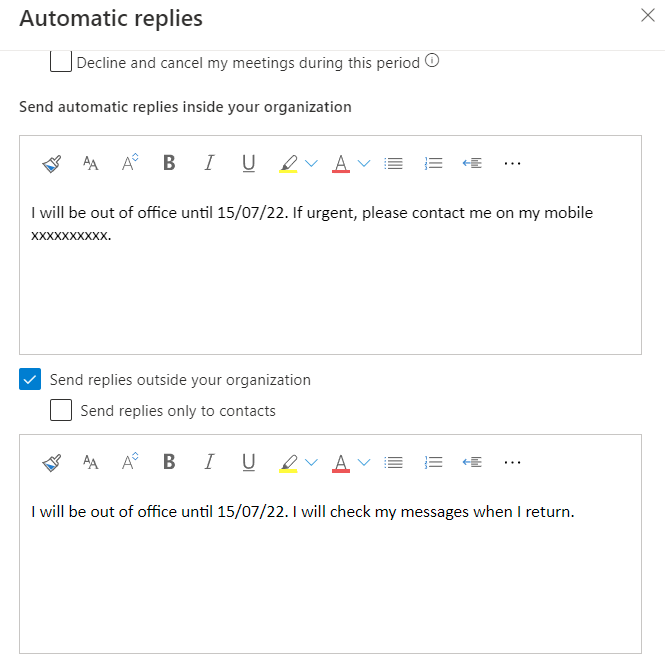
- Under Send automatic replies inside your organization, type in your reply message
- Leave the box Send replies outside of your organization ticked if you want to send replies to people outside of your organisation such as customers, vendors, partners, etc.
How to turn off automatic replies in Outlook.com
- Log in to outlook.com with your Microsoft email account
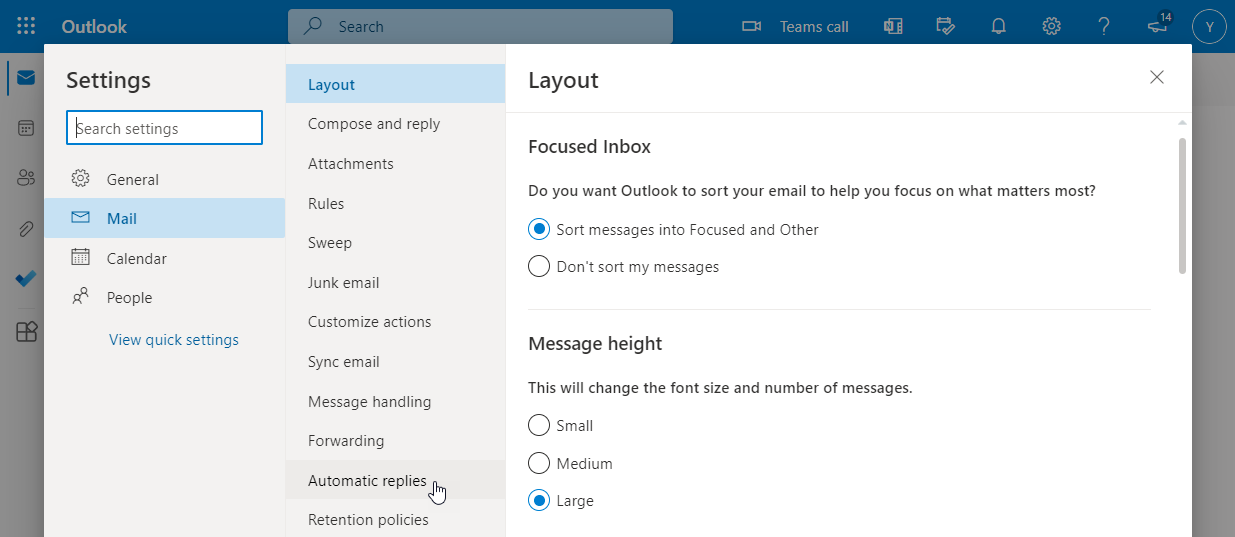
- Click Settings

- Click View all Outlook settings
- Click Automatic replies
- Turn automatic replies off by clicking the button next to Automatic replies on