

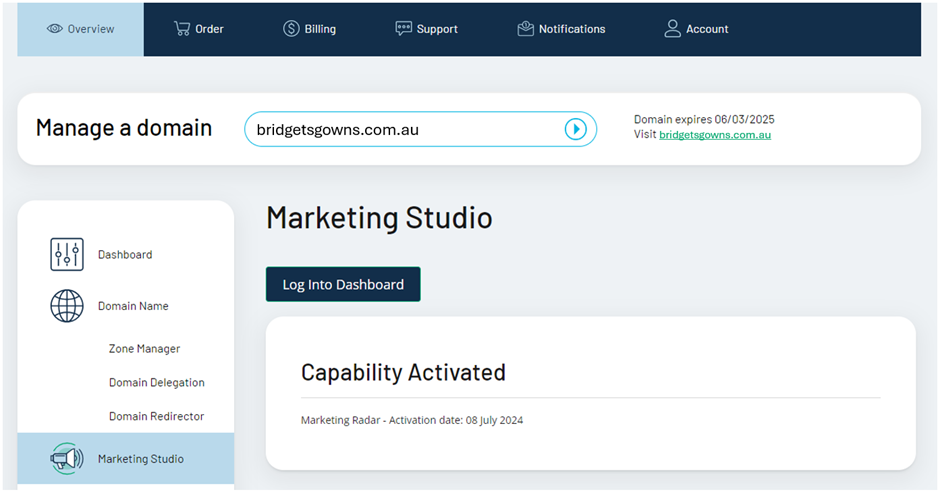
Step 2: Access your Business Settings Click “Settings” at the bottom of the left-hand menu and click “Business”.
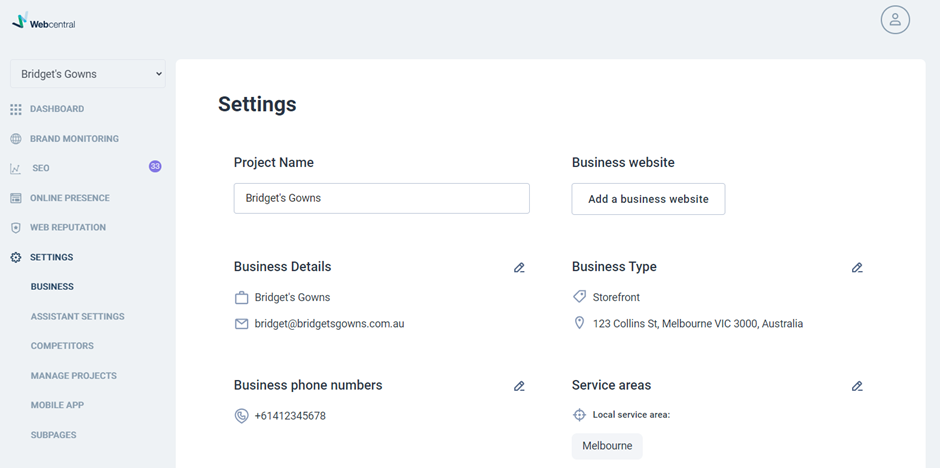
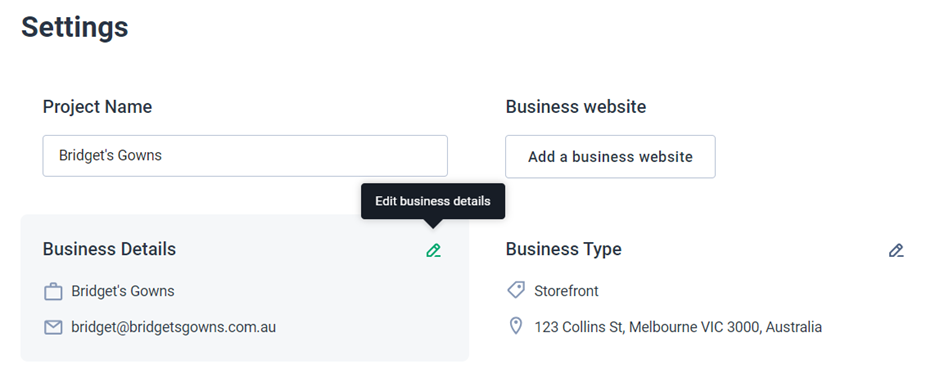
Step 3: Update & Save Business Information Select the pencil to the top right of whichever information you’d like to update.
 Then update the information and click “Save”.
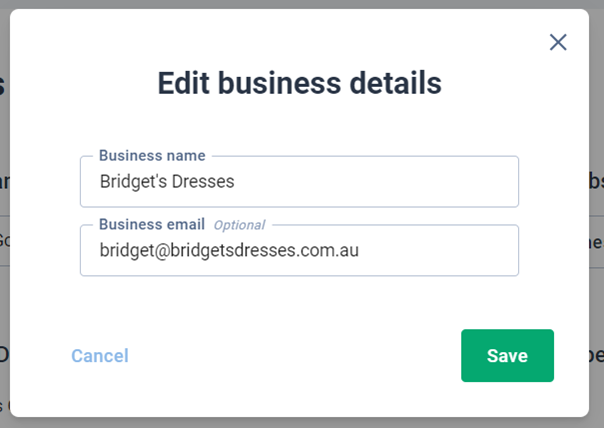
Done! You should now see your updated business information reflected in your Business Settings.