> ## Documentation Index
> Fetch the complete documentation index at: https://support.webcentral.au/llms.txt
> Use this file to discover all available pages before exploring further.
# Integrating Titan Mail accounts with Gmail
> You can configure Titan Mail accounts to import messages from a Gmail account, and forward messages to a Gmail account. This article shows you how.
This article describes how to configure Titan Mail accounts to:
* Import messages from a Gmail account.
* Forward messages to a Gmail account.
By configuring these settings, you can integrate your Titan Mail accounts with your Gmail accounts.
## Importing messages from a Gmail account
You can import messages from a Gmail account. When you do this, all new messages are received in your Titan Mail account.
When you send, delete, or archive an imported message in your Titan Mail account, the message in Gmail itself is unaffected.
To import your messages from a Gmail account, follow these steps:
1. Log in to your Titan Mail account at [https://webmail.webcentral.au/](https://webmail.webcentral.au/)
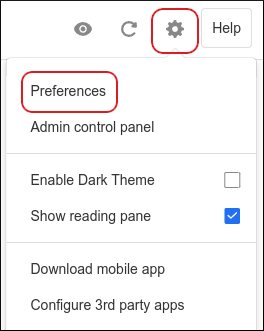
2. Click the **Settings** (gear) icon, and then click **Preferences**:
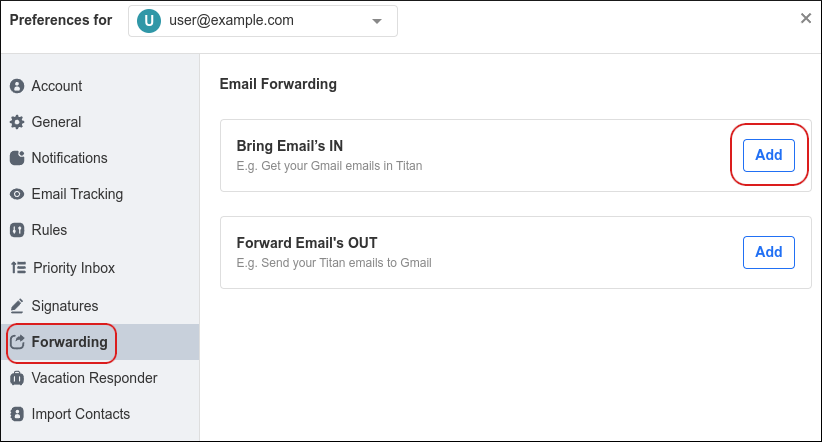
3. Click **Forwarding**, and then in the **Bring Emails IN** section, click **Add**:
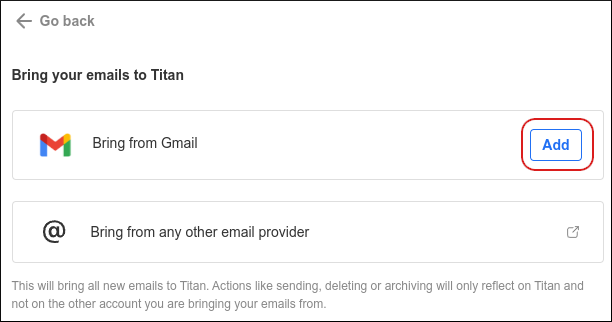
4. In the **Bring from Gmail** section, click **Add**:
5. Click **Add Gmail account**:
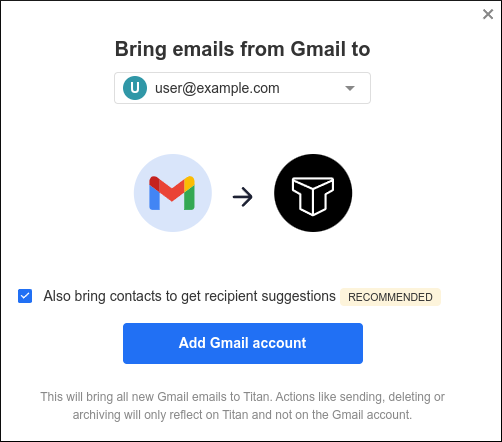
If you also want to import your Gmail contacts, select the **Also bring contacts to get recipient suggestions** check box.
6. Click **Continue**.
7. Click the Gmail account to import, select all of the check boxes, and then click **Continue**.
8. When the import is complete, you receive a **Your Gmail folder is ready!** message. Click **Got it**.
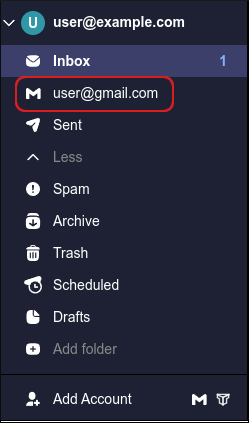
9. In the left sidebar, click the Gmail account to access it:
## Forwarding messages to a Gmail account
To forward your messages to a Gmail account, follow these steps:
1. Log in to your Titan Mail account at [https://webmail.webcentral.au/](https://webmail.webcentral.au/)
2. Click the **Settings** (gear) icon, and then click **Preferences**:

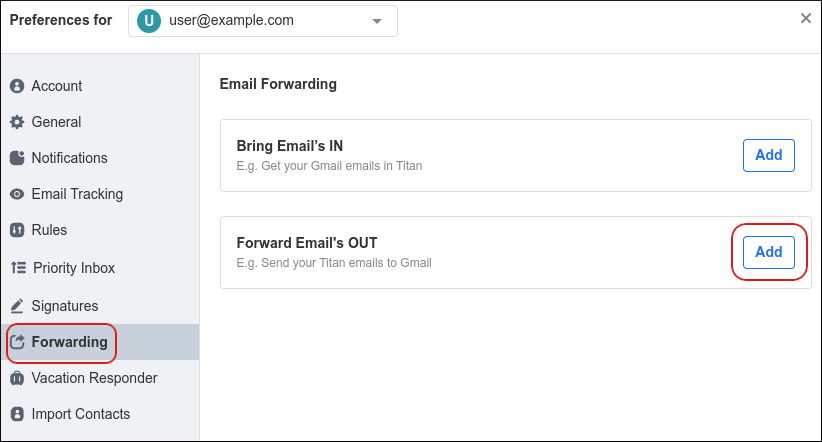
3. Click **Forwarding**, and then in the **Forward Emails OUT** section, click **Add**:
4. In the **Forward emails to** text box, type the destination Gmail address:
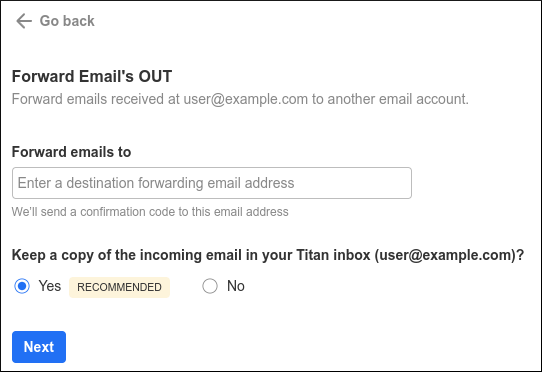
5. To keep a copy of forwarded messages in your inbox, click **Yes**. Otherwise, click **No**.
6. Click **Next**. You should receive a message with a confirmation code at the Gmail account. Type the confirmation code in the text box, and then click **Start forwarding**:
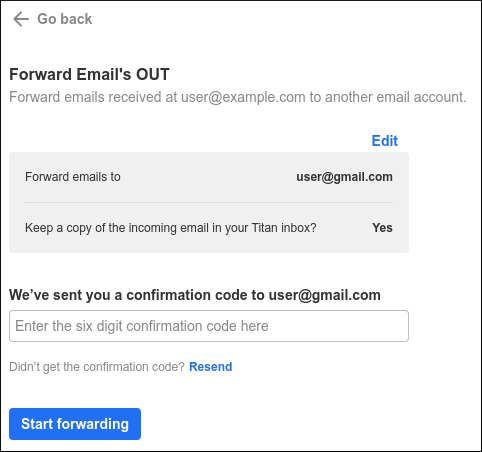
If you do not receive the code at your Gmail account, click **Resend**.
7. Email forwarding to Gmail is now configured. To disable forwarding to Gmail at any time, click **Stop forwarding**.
## More information
For more information about importing Gmail messages, please visit [https://support.titan.email/hc/en-us/articles/4402160928793-Forward-emails-from-Gmail-to-Titan-Mail](https://support.titan.email/hc/en-us/articles/4402160928793-Forward-emails-from-Gmail-to-Titan-Mail).
## Related articles
* [Importing contacts into Titan Mail accounts](/emails/titan-mail/importing-contacts-into-titan-mail-accounts)
* [Changing your password for Titan Mail accounts](/emails/titan-mail/changing-your-password-for-titan-mail-accounts)
* [Managing email signatures for Titan Mail accounts](/emails/titan-mail/managing-email-signatures-for-titan-mail-accounts)
* [Managing your email in Titan Mail webmail](/emails/titan-mail/managing-your-email-in-titan-mail-webmail)